Art direction with local generative AI.
Running models locally gave me more control over image quality and saved me tokens.

How it started
From WhatsApp to my desk. Local or online.
Characters
Identical characters or casts in every scene.
Illustrations
Anime, cartoon, vector and painting, in the style of your idea.
This article is about still images. I’ll write about video soon. Ask about video →
All in one place
The best models on the market running on my graphics card, with my art direction and no subscription. A result AI alone can’t reach.
- Midjourney
- GPT Image
- FLUX
- Seedream
- Ideogram
- Recraft
- Krea
- Stable Diffusion
The brands mentioned belong to their respective owners; there is no affiliation or endorsement.
How it started
It all started with a WhatsApp chat.
A friend sent me a video of an episode of The Office that he’d generated on his own computer, with himself as one of the characters. No subscription, no paying a platform to do it. Just his computer and his graphics card.
I had a 16 GB card in my computer, which I used for a few games I still enjoy: Baldur’s Gate 3, Metal Gear Solid, Final Fantasy, Street Fighter and other RPGs and fighting games. I asked him if my GPU could handle it. He said it could and gave me some advice: Claude is going to run ComfyUI, which is a manager for generating locally, get it?
The first image came out at half past one in the morning. After a few minutes (maybe hours, lol) reading, trying to install and configure everything, until I realized I could just ask Claude to do all of it and wait. That’s what I did: I built several workflows with different models, testing the quality to see if it got where I imagined. And it did. They were the same models everyone pays for, the ones agencies with big budgets use, only running open source. If I need a paid model, I can add it easily.
Today every image I generate, I generate this way, locally. And that goes for privacy too: I run everything without sending my data, or my clients’ data, to another company. Local or online, the options ComfyUI workflows offer raise the capability and quality of any model on the market today. And knowing how to explore that, to make things easier and to learn from your own art direction or someone else’s, is an art.
“Claude is going to run ComfyUI, which is a manager for generating locally, get it?”
The advice that changed the way I work

Characters
With LoRA, the character stays identical in every image.
When I sent Gui the first image, he liked it and said he was really into Krea 2 too (the open source model I used to generate the image). Then he dropped that, once I got used to ComfyUI, he’d teach me how to use LoRA. “Then you’re gonna lose your mind.” That stuck with me.
A LoRA is a small file you plug into the model to pull it in one direction: a face, an outfit, a setting, a line style and so on. The model stays the same, just with a kind of plugin, get it? And you can use several, each with its own trait and intensity.
LoRA is what solved the thing that bothered me most about AI: everything came out looking generic or changed things I didn’t want, altering details. With three stacked LoRAs I managed to keep the same character across different scenes, with consistent skin and expressions. In one version the eyes came out bluish, a bit out of sync with the smile. Nobody would notice, but I did. I tweaked the strengths and they went back to the right tone.
And you can train your own, with your character, your product or your brand’s line work. Then the images start to look like you, literally, if you want. And this is where the real potential comes in: taming the model for your art direction.
“Then you’re gonna lose your mind.”
Gui, on LoRA
Face test
Three expressions in three lights to see if it really stays the same.

Laughing, window light 
Serious, midday sun 
Shy smile, sunset Review before finishing
Eyes adjusted and every detail checked.

Before 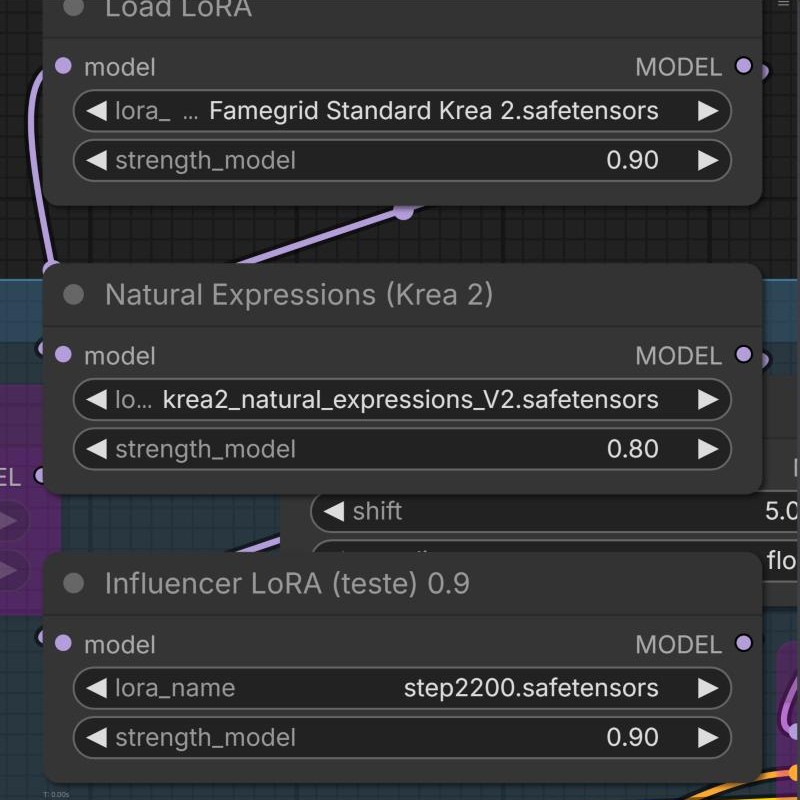
LoRAs 
After Result
The three final images with the same character, wearing the same clothes in different situations.

Morning 
Afternoon 
Night
Illustrations
Finding an interesting illustration style.
I always wanted to draw manga and anime, but work and lack of time pushed me toward the conceptual side. With AI, I can bring to life ideas that used to exist only in my imagination.
What didn’t work
AI delivers everything with the same look. Pretty, but generic and overused. That opened up room to do something different and put my own touch on the images.
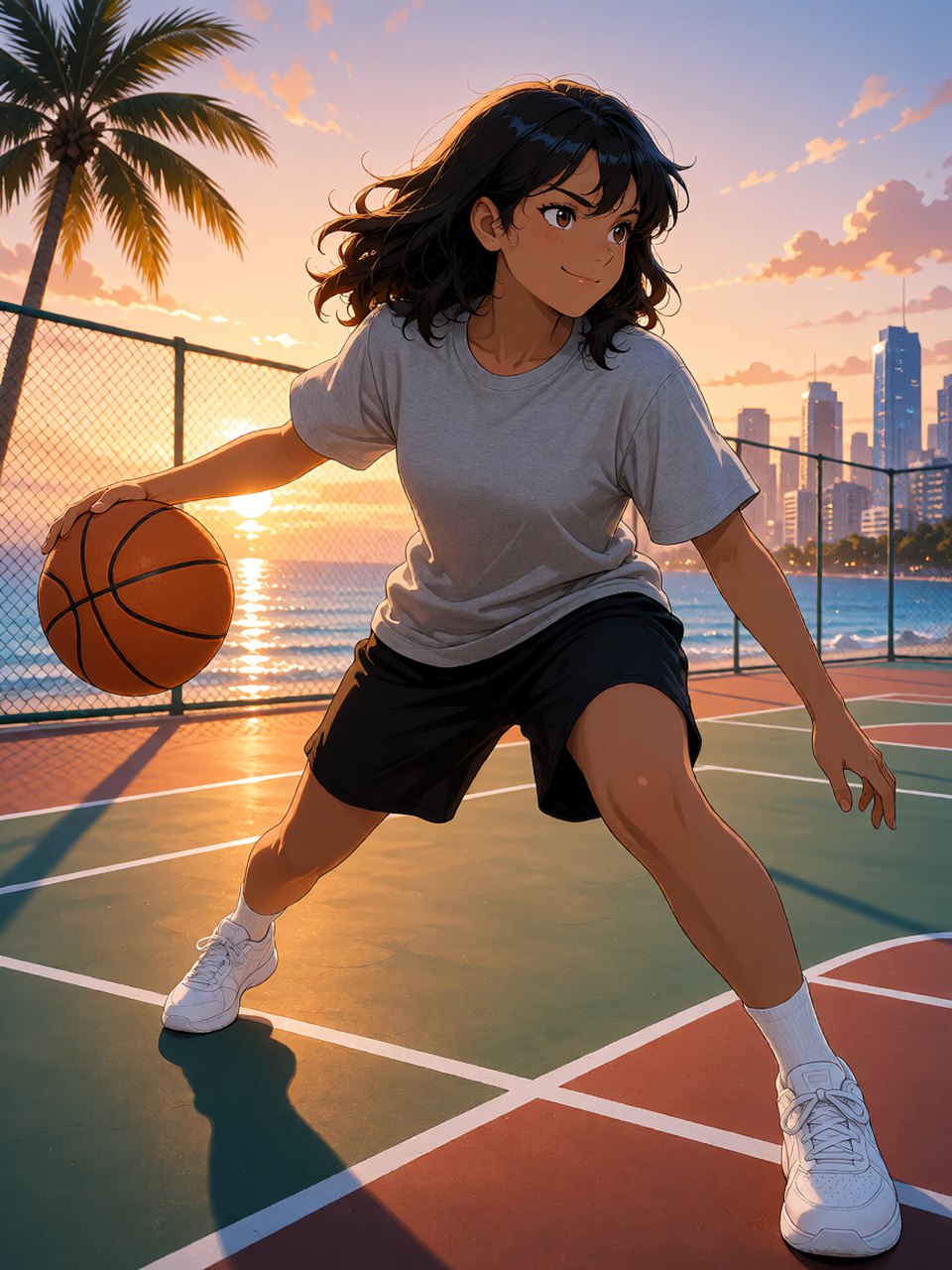 Didn’t workPretty image, but generic.
 Didn’t workInteresting, but monochromatic.
Model and LoRA: See-Krea2 Genesis V2, with the Natural Expressions LoRA at 0.8 for the expressions. 
Sampler and size: 8 steps, CFG 1, euler with the simple scheduler, 896 × 1120.
The result
Make a series that could work for a global, popular yet authentic brand. I wanted to focus on clothes, sneakers and sports gear worn by young people who also like to express themselves through how they look, creating their own styles, whether in sport or over a hand-brewed coffee.
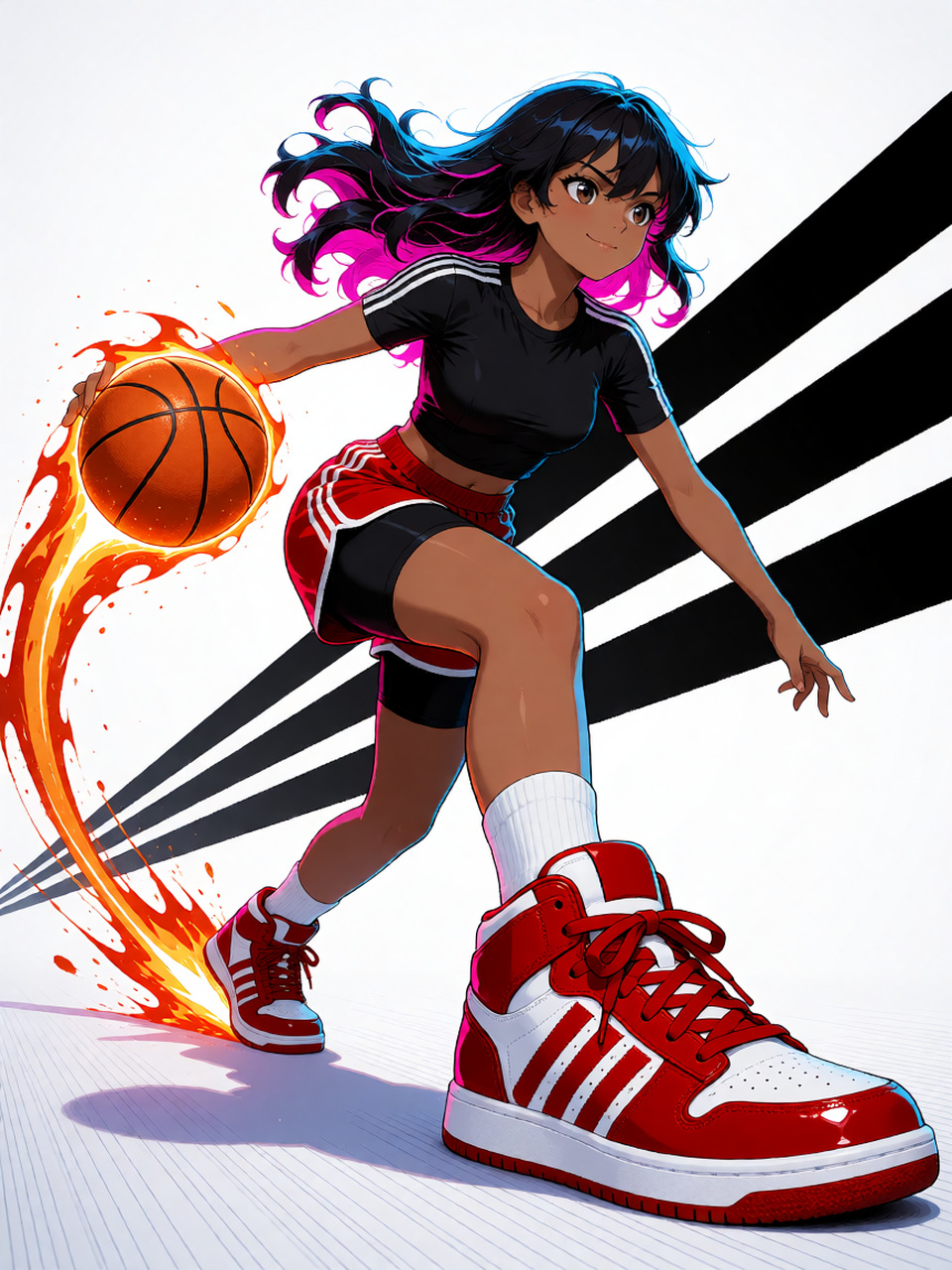
I chose a white setting with graphics in the background, to give room to the colors and shine of the products. The finishing touch is the anime line work, with colorful reflections on the skin, hair and clothes. The effect came out modern and refined, with strong commercial appeal.


More content
 How much AI is in what you consume?
Criteria for declaring AI use in text, image and sound.
 Versatile Creative Vision
My creative method, from purpose to craft
 Work
Art Direction
Work
Art Direction
Unlocking Your Big Idea: A Proven Method For Concept Creation
 Work
Graphic Design
Work
Graphic Design
Craft that turns brand rules into creative energy
 Work
Product Design
Work
Product Design
Start with people. End with a system.
 Work
Branding
Work
Branding
Brand Purpose That Drives Growth
 Work
Creative Direction
Work
Creative Direction
Uniting Agency And Client Teams On A New Brand Purpose
 Personal project
KATEKASHIS / KTKX
Personal project
KATEKASHIS / KTKX
Documentary trailer
 Personal project
Devoid, synthpop with anime
Personal project
Devoid, synthpop with anime
From the 2009 demos to the 2011 show, track by track
 Personal project
Concepts
Personal project
Concepts
Photo collages cut into symbolic silhouettes
 Work
ASP Supermercados
Work
ASP Supermercados
Brand Purpose That Drives Growth